






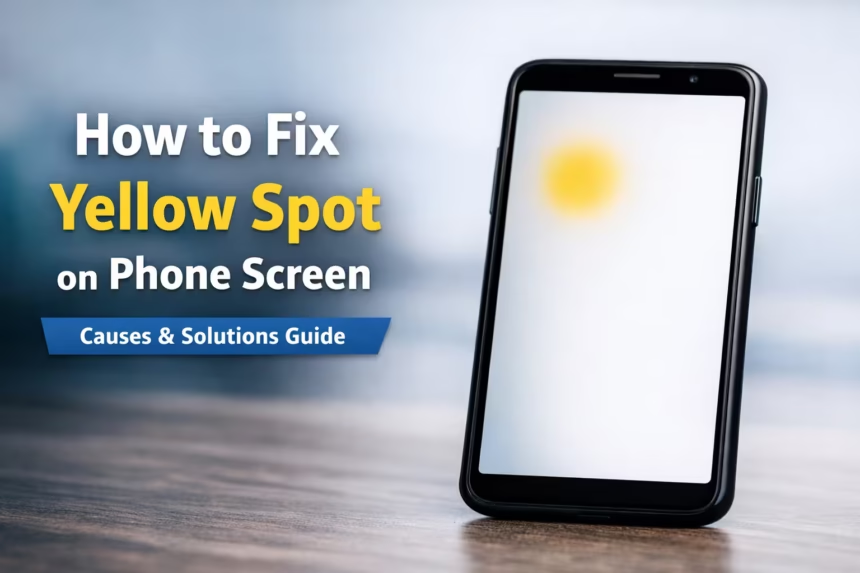
Smartphones today feature advanced displays such as AMOLED and high-resolution LCD panels. While these screens deliver vibrant colors and sharp visuals, users sometimes notice an unusual issue a yellow spot appearing on the phone screen.
This problem can appear as a small yellow stain, patch, or circular discoloration, usually visible on white backgrounds. If you are seeing this issue on your smartphone, don’t panic. In many cases the problem can be diagnosed and sometimes even fixed.
In this guide, we will explain why yellow spots appear on phone screens, how to fix them, and when you should consider replacing the display.
| What you see | Likely cause | What to do |
|---|---|---|
| Entire screen has a warm yellow tint | Night mode, Eye Comfort or colour settings | Disable the display feature and restart |
| One fixed yellow spot or patch | Pressure, adhesive or panel damage | Perform the screenshot and solid-colour tests |
| Spot appeared after a drop | LCD or OLED layer damage | Back up data and request a repair inspection |
| Yellow area appears while charging | Heat, charger issue or battery swelling | Disconnect the charger and inspect the phone |
| Screen or back panel is lifting | Possible swollen battery | Switch off the phone immediately |
| Yellow mark disappears when protector is removed | Discoloured protector or adhesive | Replace the screen protector |
| Yellow patch appeared after water exposure | Moisture inside the display | Switch off the phone and seek professional inspection |
What Is a Yellow Spot on a Phone Screen?
A yellow spot on a phone screen refers to a visible discoloration or stain on the display panel. It often appears as a light yellow patch that becomes more noticeable when viewing bright or white backgrounds.
The issue may occur on different types of displays including:
- LCD displays
- AMOLED screens
- OLED panels
The size of the yellow spot can vary from a tiny dot to a large patch, depending on the underlying cause.
Common Causes of Yellow Spots on Smartphone Screens
Understanding the cause is important before attempting a fix. Below are the most common reasons this problem occurs.
1. Screenshot test
Take a screenshot and open it on another phone or computer.
- If the yellow spot appears in the screenshot, the cause is probably software, an app or a display setting.
- If the screenshot looks normal on another device, the problem is probably in the screen, adhesive, backlight or internal hardware.
Clarify that screenshots cannot capture physical screen damage.
2. Solid-colour test
Display full-screen white, grey, red, green, blue and black images at moderate brightness.
- A spot visible across several colours usually indicates panel or pressure damage.
- A temporary shadow visible after displaying the same image may be image retention.
- A permanent outline on an OLED screen may be burn-in.
3. Pressure Damage on the Display
One of the most common causes is physical pressure on the phone screen.
This can happen when:
- The phone is kept in a tight pocket
- The device falls or gets pressed inside a bag
- Heavy objects are placed on the phone
Pressure can damage the display layers, causing color distortion that appears as yellow patches.
4. Screen Adhesive Issues
Smartphone displays are assembled using special adhesive glue that holds the screen layers together.
If the adhesive:
- Is not evenly applied
- Has not dried properly
- Begins degrading over time
It can create yellow discoloration spots on the display.
This issue sometimes appears in new phones shortly after purchase.
5. Heat Damage
Excessive heat can also cause display discoloration.
This may happen if:
- The phone overheats while gaming
- The device is exposed to direct sunlight
- The battery temperature rises excessively
Heat can alter the chemical structure of display materials, leading to yellow tint patches.
6. AMOLED Burn-In
Devices with AMOLED displays can experience burn-in over time.
Burn-in occurs when certain pixels display the same image for long periods, causing uneven aging of the pixels.
Symptoms may include:
- Yellow or brown patches
- Image shadows
- Display discoloration
7. Moisture or Liquid Damage
Even small amounts of moisture entering the display layers can cause color irregularities.
Liquid damage may lead to:
- Yellow patches
- Green spots
- Display bleeding
This usually requires professional repair.
How to Fix Yellow Spot on Phone Screen
Before replacing your display, try the following troubleshooting methods.
1. Restart the Phone
Sometimes display glitches are caused by temporary software issues.
Steps:
- Press and hold the power button
- Restart the device
- Check if the yellow spot disappears
If the issue persists, try other fixes below.
2. Disable Blue Light Filter / Night Mode
Many smartphones use blue light filters that can create a yellow tint on the display.
Check the settings:
Settings → Display → Night Mode / Eye Comfort Shield
Turn this feature off and check if the yellow spot disappears.
3. Adjust Display Color Calibration
Some devices allow manual display color adjustments.
Steps:
Settings → Display → Screen Mode / Color Balance
Try switching between:
- Natural mode
- Vivid mode
- Standard mode
Sometimes incorrect calibration causes color tint issues.
4. Use a Pixel Fixing App
Pixel repair apps can sometimes resolve display irregularities.
Popular tools include:
- Screen Burn Fixer
- AMOLED Burn-In Fix
- Dead Pixel Test
These apps flash multiple colors rapidly to recalibrate display pixels.
Note: This works only for minor pixel problems.
5. Let the Phone Cool Down
If the issue appears after gaming or heavy usage, the display may be overheating.
Try the following:
- Turn off the device
- Let it cool for 15–20 minutes
- Restart the phone
Heat-related discoloration sometimes disappears once the display cools down.
When the Yellow Spot Cannot Be Fixed
Unfortunately, some yellow spots are caused by hardware damage.
If the issue is caused by:
- Display layer separation
- LCD panel damage
- OLED burn-in
- Liquid damage
The only permanent solution is replacing the display panel.
Estimated Smartphone Screen Repair Cost
| Device Type | Estimated Screen Repair Cost |
| Budget Phones | $30 – $80 |
| Mid-Range Phones | $80 – $200 |
| Flagship Phones | $200 – $450 |
Costs vary depending on:
- Brand
- Screen technology
- Service center location
How to Prevent Yellow Spots on Phone Screens
Preventive care can reduce the risk of display damage.
Follow these tips:
Avoid Excessive Pressure
Do not keep the phone in tight pockets or under heavy objects.
Use a Protective Case
A good phone case can absorb pressure and impact.
Prevent Overheating
Avoid prolonged gaming or charging in hot environments.
Keep the Device Dry
Moisture and liquid exposure can damage display layers.
Reduce Screen Brightness
Lower brightness helps reduce display stress over time.
Final Thoughts
A yellow spot on a phone screen can appear for several reasons, including pressure damage, overheating, adhesive issues, or AMOLED burn-in.
While some software fixes such as disabling night mode or recalibrating the display may help in minor cases, persistent yellow spots are often a sign of hardware damage.
If the problem does not disappear after troubleshooting, the best solution is to visit an authorized repair center or replace the screen.
Taking preventive steps such as avoiding heat, pressure, and moisture can help keep your smartphone display in excellent condition.
Frequently Asked Questions
Why does my phone screen have a yellow spot?
A yellow spot on a phone screen is usually caused by pressure damage, adhesive issues, overheating, AMOLED burn-in, or moisture inside the display.
Can yellow spots on phone screens disappear?
If the discoloration is caused by software settings like night mode or display calibration, it may disappear after adjusting the settings. Hardware damage usually requires screen replacement.
Does screen burn-in cause yellow spots?
Yes. AMOLED displays can develop yellow or brown patches due to pixel burn-in when static images remain on the screen for long periods.
Is a yellow spot covered under warranty?
If the issue is caused by manufacturing defects, it may be covered under warranty. However, damage caused by pressure, drops, or liquid exposure is usually not covered.
Can overheating cause yellow patches on phone screens?
Yes. Excessive heat can damage display materials and lead to yellow discoloration or screen tint issues.
Can a yellow spot on a phone screen spread?
It can become larger when caused by continuing pressure, excessive heat, moisture, deteriorating display adhesive or a swelling battery. A stable software tint normally affects the whole display instead of spreading from one physical spot.
Can a yellow spot be fixed without replacing the screen?
Yes, if it comes from a display setting, screen protector, temporary image retention or overheating. A permanent localized spot caused by internal panel, backlight or adhesive damage usually requires professional repair or display replacement.
Why does the yellow spot not appear in a screenshot?
A screenshot records the image produced by the operating system. It does not capture discoloration caused by the physical screen, backlight, adhesive or pressure damage.
Is a yellow spot covered by warranty?
Coverage depends on the manufacturer and whether the problem is classified as a manufacturing defect, accidental damage, liquid damage or battery damage. Avoid opening the phone before checking its warranty conditions.
Does a yellow spot mean the battery is swollen?
Not always. However, a yellow patch combined with a lifted screen, bulging back panel, unusual heat or a changing gap around the frame can indicate battery swelling and requires immediate inspection.


